Secure your Sage 300 sign-in: SSO and MFA
A live demonstration of single sign-on and multi-factor authentication on Sage 300, start to finish.
Watch recording14 Oct 2026
 Sage 300 Authenticationby BeCa IT
One-click single sign-on with Microsoft, Google or Okta, and Authenticator-app multi-factor security across Sage 300 - on both Web Screens and Desktop. No more shared passwords, no Sage 300 changes, no new servers.

Live on Sage 300 2026 - "Sign in with Microsoft" added by BeCa IT. Google and Okta are offered the same way.
Use single sign-on, multi-factor, or both together.
Your team signs in to Sage 300 with the work account they already use every day - no separate Sage 300 password to issue, rotate or reset.
Sign in with the Microsoft 365 / Entra work account, scoped to your organisation's tenant. Existing Entra MFA and Conditional Access policies carry across to Sage 300 automatically.
Sign in with a Google or Google Workspace account (OpenID Connect), with an optional hosted-domain restriction so only your own domain is accepted.
Sign in through Okta (OpenID Connect). Your Okta users, groups and sign-on policies apply to Sage 300.
Add a second factor to Sage 300 sign-in. Enrol once by scanning a QR code, then enter a fresh 6-digit code at sign-in - the same simple prompt on Web and Desktop, on top of the user's normal credentials.
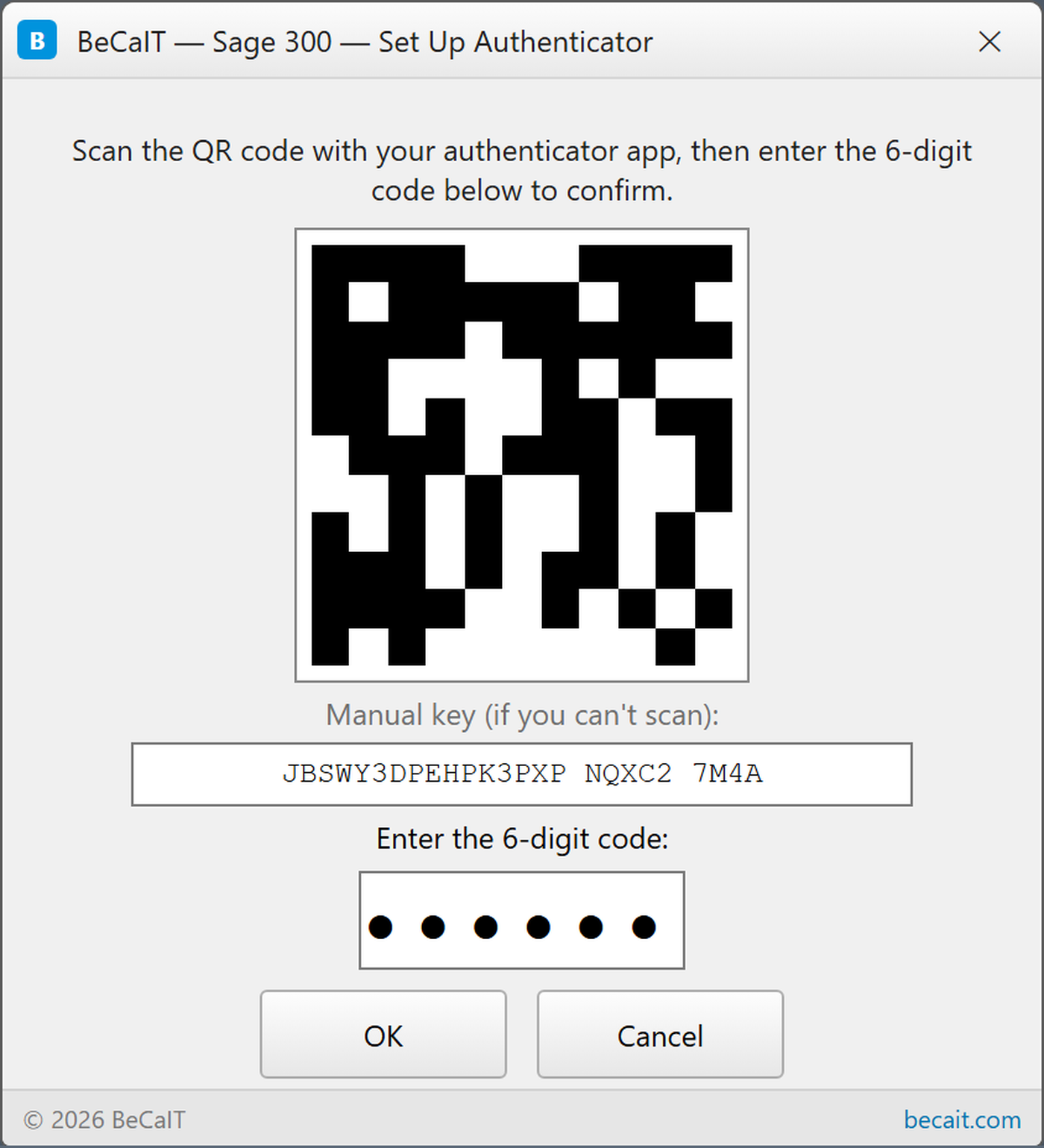
Enrol once by scanning a QR code.

Then a 6-digit code at sign-in.
A short demonstration of single sign-on and multi-factor across Sage 300.
The module intercepts the sign-in check and nothing else.
Web Screens and Desktop
Drop-in layer. Intercepts sign-in only.
Entra ID, Google or Okta for SSO · Authenticator for MFA
As their own Sage 300 user
OpenID Connect and OAuth 2.0 for SSO, TOTP (RFC 6238) for MFA. No proprietary lock-in.
Settings live inside your own Sage 300 database, and there is no third-party cloud account to buy. Your Sage 300 business data stays where it is - only the sign-in check is exchanged with your own identity provider.
BeCa IT has developed for Sage 300 since 2006 - support that understands both Sage 300 and modern authentication.
Uninstalling cleanly restores Sage's original sign-in. No lock-in, no leftovers.
Sage 300 2023 PU2 and later, up to the current 2026 release - new Product Updates are added as they ship.
BeCa IT is a technology group delivering enterprise solutions across Asia. BeCa IT Consulting has been a recognised Sage 300 (Accpac) and Sage CRM partner since 2006, and BeCa IT Software builds ERP extensions, mobile apps and compliance solutions - so this add-on is built and supported by the same team.
Developed by BeCa IT · distributed by ERPAdvance Asia
Customer POs in. Sage 300 sales orders out. Upload customer purchase orders as PDFs or images. Documate uses AI to capture the order details, match customers and items to Sage 300, and create the sales order. Fully matched orders can post automatically, while exceptions are highlighted for review.
A single customer purchase order, or a batch of PDFs and images dropped in at once.
Reads the PO number, date, customer, tax and every line - item, quantity and price. The form opens pre-filled.
Customer and items matched against live Sage 300 data, with order defaults filled in.
Remembers each customer's own names and codes. Identical files are set aside and similar POs flagged.
Each problem spelled out and fixed with a live Sage 300 lookup. Tax compared against the PO.
Fully matched orders can post on their own, and the order number is written back.
A one-page summary you can share with colleagues, or print for a meeting.
Start from the process you want to fix. Each solution installs alongside Sage 300.
Requisitions, receipts and journals raised and approved on web or mobile, posted back into Sage 300.
View solution →Acquisition, depreciation, disposal, leasing, maintenance and barcode tracking.
View solution →Hundreds of enhancements to daily Sage 300 screens, plus bulk updates and cross-company maintenance.
View solution →Send a posted transaction and its PDF to a customer or vendor over WhatsApp.
View solution →Recorded sessions, free to share with a prospect.
A live demonstration of single sign-on and multi-factor authentication on Sage 300, start to finish.
Tell us which process you would like to move off paper, email or spreadsheets, and which ERP you run. We will reply with an honest view of whether there is a fit - and bring your ERP partner into the conversation if you have one.
Talk to ERPAdvance Asia, the exclusive distributor of BeCa IT Authentication for Sage 300, for a quote or a quick demo. We will help you choose SSO, MFA, or the full suite for your Sage 300 environment.